A GPS tracker may work correctly during a desk test but report inconsistent locations after installation in a vehicle.
The difference can be the mounting position, antenna orientation, power connection, or operating environment.
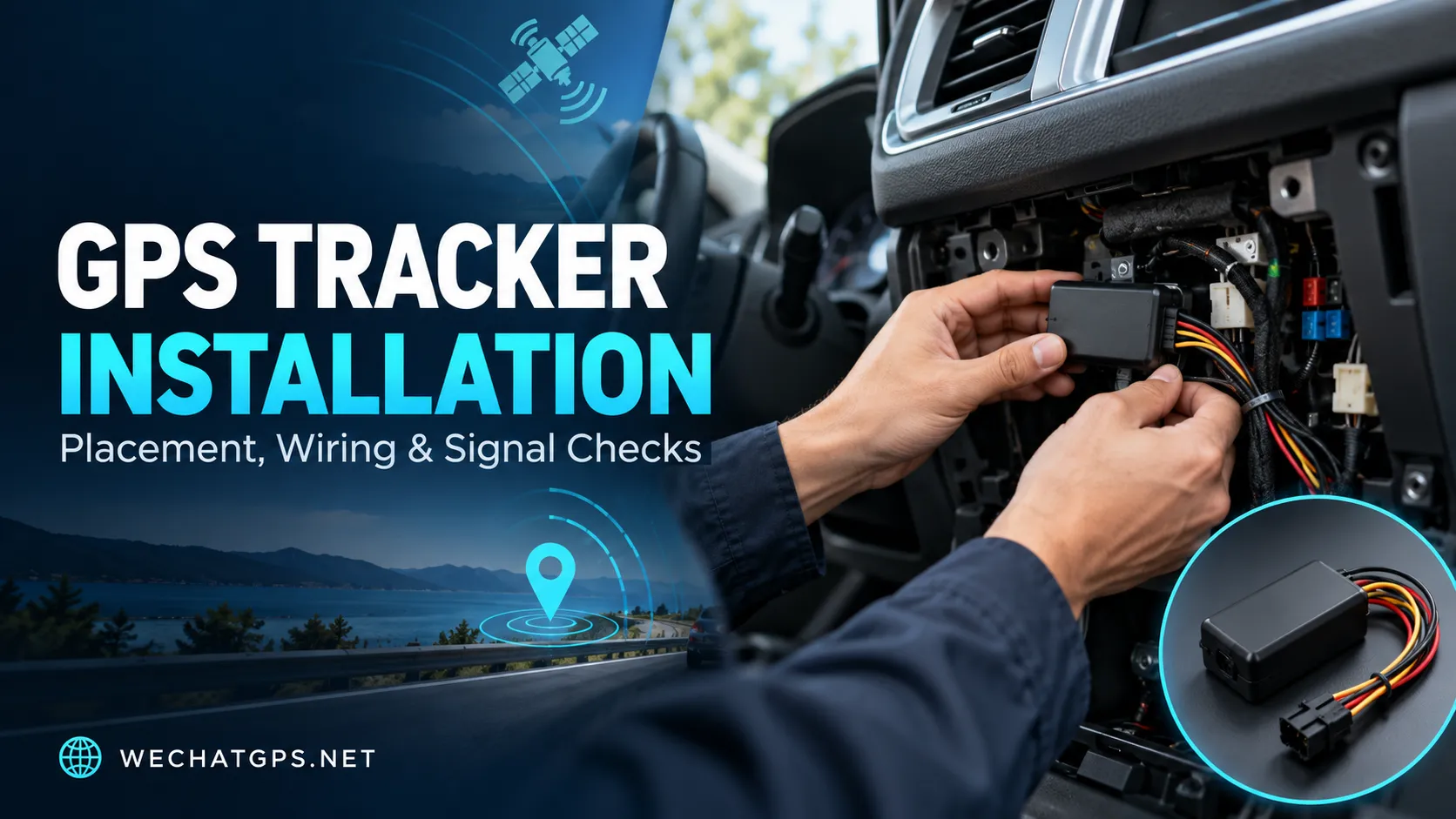
For fleet operators and equipment owners, GPS tracker installation should include both physical fitting and a practical performance check. Seeing a device appear online is only the first step.
This guide explains how to plan an installation, select a suitable location, and check that the tracker delivers useful information during everyday operation.
Why GPS Tracker Installation Affects Performance
A cellular GPS tracking device performs two separate tasks: it calculates its position using satellite signals and sends information to a server through a mobile network.
These tasks depend on different connections.
A tracker may have cellular coverage while struggling to obtain a fresh satellite position. It may also record a valid position but fail to upload it immediately because mobile coverage is unavailable.
GPS.gov identifies signal blockage and reflected signals as factors that can reduce positioning accuracy. Installation inside or near obstructing structures therefore deserves careful evaluation.
When investigating an installation, check positioning and communication separately.
Choose the Tracker Type Before Choosing the Mounting Position
Different tracking applications need different installation methods.
| Tracker type | Typical installation priority | What to verify |
|---|---|---|
| Hardwired vehicle GPS tracker | Stable power, secure wiring and suitable antenna placement | Supply voltage, ignition input and location updates |
| Rechargeable magnetic GPS tracker | Secure attachment, accessible charging and signal reception | Mounting surface, antenna orientation and recharge access |
| Solar asset GPS tracker | Sunlight exposure, secure mounting and suitable positioning reception | Panel shading, mounting angle and energy balance |
| Personnel GPS badge | Consistent wearing position and accessible controls | SOS access, outdoor positioning and normal wearing conditions |
For powered vehicles, a 4G Vehicle GPS Tracker can support a permanent installation with ignition monitoring.
For temporary deployments, a Rechargeable Waterproof Magnetic GPS Tracker provides an alternative where fixed wiring is unsuitable.
Confirm the selected model’s installation requirements before preparing a standard procedure.
Where Should a GPS Tracker Be Installed?
The best location balances reception, protection, secure attachment, and service access.
There is no single mounting position that suits every vehicle or device.
Follow the Antenna Orientation Instructions
Trackers with internal antennas may have a preferred mounting direction. The correct orientation depends on the antenna and enclosure design.
Manufacturer guidance illustrates why this matters: Teltonika’s mounting recommendations advise avoiding GNSS antenna placement beneath metal surfaces. Follow the instructions for your selected model rather than assuming every enclosure has the same antenna arrangement.
Identify the antenna-facing side before securing the device.
Evaluate Obstructions Around the Device
A location that is convenient for hiding a tracker may provide poor satellite reception.
Before permanent attachment, compare performance in the proposed location with performance in an open reference position. Check whether the device obtains fresh positions consistently and whether the timestamps continue updating.
Avoid judging reception from a single point on the map.
Allow Access for Maintenance
The installation should allow technicians to inspect connectors, identify the device, and replace or service it when necessary.
For rechargeable models, charging access is part of the installation plan. For solar models, the panel needs a position where normal equipment operation will not repeatedly cover it.
A discreet installation still needs to be maintainable.
Check Power and Ignition Wiring
For a hardwired GPS tracker, confirm the rated input range and wiring diagram before connecting the device.
Do not assume that two trackers use the same cable colors, pin assignments, or input behavior.
Verify the Power Source
Identify a supply suitable for the tracker’s intended operating mode.
A permanent supply may be required if the device must report while the ignition is off. A switched supply behaves differently and may interrupt operation when the vehicle is parked.
Check voltage at the installation point under relevant vehicle conditions, including startup and shutdown. Use the protection and connection method specified by the manufacturer.
Confirm the Ground Connection
Use an appropriate ground point according to the installation instructions.
Inspect the completed connection for mechanical security. An intermittent connection can make a device appear to have a network or firmware problem when the underlying issue is power loss.
Test the Ignition Input Separately
If the tracker supports ACC or ignition detection, confirm that the platform changes state when the vehicle ignition changes.
A tracker being online does not prove that its ignition input is connected correctly.
Incorrect ignition status can affect trip classification, parking records, and operating-time reports. Confirm whether the project requires ignition-on time, actual engine runtime, or another operating measure.
Magnetic GPS Tracker Installation Needs a Signal Test
Magnetic attachment can simplify installation, but attachment strength and signal performance are separate checks.
A suitable surface should provide secure contact and meet the device manufacturer’s mounting requirements. Paint condition, curvature, contamination, vibration, and environmental exposure should all be considered.
Before leaving the tracker in place:
- Confirm that the attachment is stable.
- Check the prescribed antenna orientation.
- Verify fresh location reports from the final position.
- Test movement detection if included in the configuration.
- Confirm that the device remains accessible for charging.
A magnetic tracker should also have a maintenance schedule. Record who is responsible for charging and how low-battery notifications will be handled.
Test GPS Positioning and Cellular Upload Separately
A map marker alone does not provide enough information to approve an installation.
Useful commissioning records include:
| Check | What it helps establish |
|---|---|
| Position measurement time | Whether the displayed position is fresh |
| Server receipt time | Whether the report arrived promptly |
| Positioning source | Whether the location came from GNSS or an alternative source |
| External power status | Whether the wired supply is detected |
| Ignition status | Whether ignition changes are recognized |
| Battery status, when available | Whether backup or rechargeable power needs attention |
Field availability depends on the tracker protocol and platform.
If the device is online but shows an old location, investigate satellite reception and positioning status. If fresh records arrive late, investigate communication coverage and upload behavior.
A Practical GPS Tracker Installation Checklist
Use a repeatable commissioning process before deploying the same installation across a fleet.
1. Record the Device and Vehicle Details
Associate the tracker identifier with the correct vehicle or asset.
Record the model, firmware version, SIM details, installation date, and mounting position. Keep installation photographs where appropriate.
2. Establish an Outdoor Reference
Test the device outdoors in a relatively open area before final fitting.
Confirm that it connects to the platform and produces fresh position records. This provides a useful comparison if performance changes after installation.
3. Test in the Final Mounting Position
Place the tracker in its intended location and repeat the checks.
If reception becomes inconsistent, evaluate another position or orientation before securing the installation.
4. Check Vehicle Operating States
For a hardwired unit, test ignition off, ignition on, engine start, normal driving, and shutdown.
Confirm that the platform shows the expected power and ignition states throughout the sequence.
5. Complete a Short Route Test
Drive a route representative of normal use.
Review location timestamps, route continuity, stops, and ignition transitions. Include the vehicle’s usual parking environment when practical.
6. Test the Required Alerts
Trigger the alerts included in the project scope, such as power disconnection, movement, or geofence events.
Record when the event occurred and when the notification arrived. Define acceptance targets before the pilot so installers know what constitutes a successful result.
Common Installation Problems and What to Check
| Observed problem | Installation checks |
|---|---|
| Device is online but its position is old | Antenna orientation, surrounding obstructions and positioning status |
| Device restarts during vehicle startup | Supply behavior during startup, ground connection and connector security |
| Ignition always shows on or off | Wiring point, input configuration and supported signal type |
| Location updates become inconsistent after fitting | Compare the final position with the outdoor reference test |
| Magnetic tracker needs frequent charging | Reporting configuration, reception conditions, movement activity and battery condition |
| Device becomes difficult to service | Mounting access, cable routing and charging access |
Change one factor at a time during troubleshooting. Recheck performance after each adjustment so the cause remains clear.
Plan Installation as Part of the Tracking Project
For a larger deployment, prepare an installation guide for each relevant vehicle or equipment type.
The guide should identify the approved mounting location, antenna orientation, wiring connections, configuration profile, and commissioning procedure.
A pilot installation can then establish whether that approach works across representative operating conditions before it is repeated across the fleet.
WECHAT GPS provides vehicle and asset tracking products for different deployment requirements. When selecting a device, share the vehicle type, supply voltage, installation environment, reporting needs, and required alerts so the hardware and configuration can be evaluated together.
Frequently Asked Questions
Can a GPS tracker be installed under the dashboard?
It may be suitable for some devices and vehicles. Check the manufacturer’s antenna guidance and test reception in the exact location before completing the installation.
Can a GPS tracker work inside a metal enclosure?
A metal enclosure can obstruct satellite reception. Evaluate the antenna arrangement and consider a device designed for an appropriate external antenna if the application requires an enclosed installation.
Why is my GPS tracker online but not updating its location?
The cellular connection may be working while the device cannot obtain a fresh satellite position. Check the position timestamp, positioning source, antenna orientation, and surrounding obstructions.
Is a magnetic tracker ready to use as soon as it is attached?
It still needs commissioning. Verify secure attachment, fresh location reports, communication, alert behavior, and charging access from the final mounting position.
Should every vehicle use the same installation position?
Only after that position has been validated for the relevant vehicle type. Differences in body construction, available power connections, and mounting space can require a different installation approach.
Curated High-Performance GPS Picks | wechatgps.net Official Store
3、Electronic cargo seal tracking