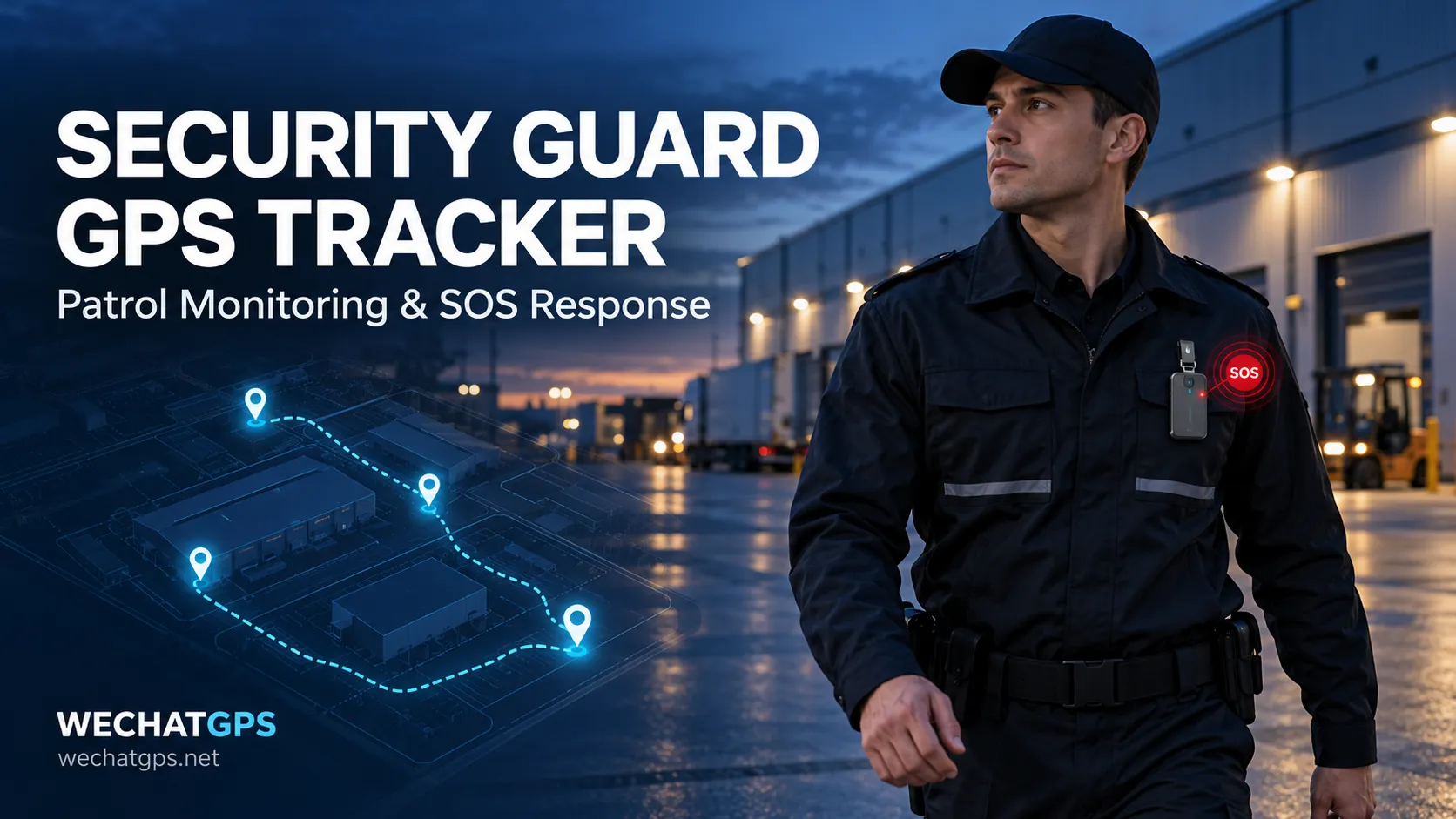
A security guard may patrol a warehouse perimeter, inspect a loading yard or work alone at a remote entrance. When a supervisor needs to check progress or respond to an emergency, a radio call may provide only part of the picture.
A security guard GPS tracker connects a wearable device to a management platform. It helps supervisors review reported locations, follow patrol movement and identify the person associated with an SOS event.
A useful deployment combines suitable hardware with clear patrol rules, reliable communication and an agreed response procedure. A moving marker on a map is only the starting point.
What Is a Security Guard GPS Tracker?
A security guard GPS tracker is a wearable location terminal assigned to a guard during a shift. Depending on its configuration, it can report location, battery status, connectivity and emergency events to a web platform or mobile application.
The tracker may take the form of an employee badge, clipped device or another wearable terminal. For outdoor patrols, a project should evaluate satellite positioning and the communication network together.
For example, the 4G GPS Employee Badge Tracker from WECHATGPS offers personnel positioning, an SOS button, geofencing and movement history, with API and OEM customization options.
Before selecting a model, confirm the required functions in the agreed specification and test them on the actual patrol route.
Why Patrol Monitoring Needs More Than Location
A location report can help answer where a device was detected. Supervisors also need to know who carries it, when the position was measured and whether it remains relevant.
A practical monitoring screen should show:
- Guard identity and assigned shift.
- Device ID and patrol area.
- Latest positioning time and latest communication time.
- Positioning source, where available.
- Battery level and active alarms.
Positioning time and communication time should be treated separately. A device may communicate successfully while reporting an older location.
For example, if a badge uploads a heartbeat at 10:05 but its last valid position was recorded at 09:50, the platform should make that difference visible. Supervisors can then decide whether to contact the guard or check reception along that route.
GPS Patrol Tracking and Checkpoint Verification
GPS route history and checkpoint verification provide different kinds of evidence.
Route history helps show movement between reported positions. A checkpoint event records a defined action or arrival condition at a particular inspection point.
| Requirement | Suggested approach | Point to verify |
|---|---|---|
| Review an outdoor patrol route | Time-stamped GPS position reports | Gaps between reports and signal quality |
| Confirm arrival in a broad outdoor area | Geofence event with agreed validation rules | Boundary size and false-event handling |
| Confirm a specific doorway or inspection point | QR, NFC, RFID or another checkpoint method | Reader support and platform integration |
| Verify a guard inspected an item | Checkpoint action plus inspection record | Whether evidence beyond location is required |
A location near a doorway does not prove that a guard inspected the door. If the contract requires checkpoint completion, define the evidence first and then select the technology.
QR, NFC and RFID functions should be treated as separate hardware or integration requirements unless they are expressly included in the selected device specification.
How SOS Response Should Work
An SOS button is most useful when its event reaches someone who can act.
A recommended workflow is:
- The guard presses SOS.
- The platform records the device identity, event time and available location.
- The assigned operator receives and acknowledges the event.
- The operator attempts contact and coordinates assistance.
- The team records the response and closes the event.
Agree how an unacknowledged alarm will escalate to another operator or supervisor. Also decide how stale or unavailable location will be displayed.
During pilot testing, measure the time from button press to platform receipt, notification and operator acknowledgement. Test weak-coverage areas as well as the main office.
An alarm delivery promise should be based on those results and the agreed network conditions.
Outdoor and Indoor Patrols Need Different Evaluation
A guard may move from an open yard into a warehouse, stairwell or covered loading area. The project should evaluate each environment separately.
The JSC-802 product information lists GPS and BeiDou for outdoor positioning, with Wi-Fi and LBS assistance. Its documentation also distinguishes assisted indoor location from more precise indoor systems.
If the requirement is to identify a particular room, floor or narrow corridor, assess additional positioning infrastructure. Do not assume that an outdoor GPS result establishes indoor checkpoint accuracy.
The Employee GPS Tracking Badge Solution provides a starting point for discussing personnel hardware, alarm workflows and platform integration.
Map the patrol route and record which sections require outdoor location, approximate indoor presence or specific checkpoint confirmation.
Choose Reporting Intervals Around the Patrol
Reporting frequency should follow the operational requirement.
A perimeter patrol may need enough position reports to review the route. A guard stationed at a gate may need less frequent routine reporting, while an SOS event should be handled through its agreed emergency logic.
For a pilot, compare different reporting profiles and measure:
- Route visibility between reports.
- Battery remaining at the end of a shift.
- Communication performance in weak-coverage areas.
- SOS event delivery and acknowledgement.
- Location availability after entering and leaving buildings.
Treat trial intervals as test settings. Select the production profile using measured results rather than battery capacity alone.
Plan Badge Assignment and Shift Handover
Tracking records are useful only when the device is linked to the correct person.
For shared badges, a suggested shift procedure is:
- Check charging status and visible damage.
- Assign the badge to the incoming guard.
- Confirm device identity and platform connectivity.
- Perform the agreed function check.
- Record return and charging at the end of the shift.
Historical reports should retain the guard assignment that applied when each event occurred. Reassigning a badge should not change the identity attached to an earlier patrol.
Make wearing instructions and alarm procedures part of staff training.
What to Test Before a Larger Rollout
Run a pilot with representative guards, routes and working conditions.
| Pilot check | Evidence to record |
|---|---|
| Outdoor route monitoring | Position timestamps, gaps and route readability |
| Indoor transition | Location source, freshness and recovery outdoors |
| SOS workflow | Delivery, notification and acknowledgement times |
| Shift battery performance | Start and end charge under the tested profile |
| Coverage gaps | Offline indication and recovery behavior |
| Device reassignment | Correct guard identity in historical records |
| Patrol reports | Route evidence and checkpoint evidence shown separately |
Agree acceptance criteria before the pilot. For example, decide how long a location may remain unchanged before the dashboard marks it as stale, and how operators should handle a missed patrol checkpoint.
OEM Hardware and Platform Integration
Security companies may need to manage several customer sites, integrate reports with existing systems or offer a branded monitoring service.
WECHATGPS describes customization options covering badge branding, firmware, protocols and customer platform integration. Its White Label GPS Tracking Platform also provides a route for discussing branded software and private deployment.
Specify patrol scheduling, checkpoint verification, escalation and report formats as individual deliverables. Confirm which functions are already available and which require development.
Access permissions and data-retention settings should be included in the project scope so each supervisor can see the personnel and records relevant to their work.
Frequently Asked Questions
Can a security guard GPS tracker confirm every checkpoint?
GPS can support outdoor route review and broad area detection. Specific checkpoint confirmation may require a separate scan, reader or positioning system. Define the required evidence during project planning.
Does a GPS badge work inside every building?
Indoor performance depends on the positioning methods, infrastructure and environment. Test the actual buildings and verify how the platform labels approximate or unavailable location.
Will the SOS button always send an immediate alert?
Delivery depends on the device, network, server and notification workflow. Validate the complete process and define how connectivity failures are handled.
Can we use our own security management platform?
API and protocol integration can be evaluated for the project. Agree device identifiers, timestamps, alarm fields, command behavior and historical-data requirements before implementation.
Discuss Your Security Patrol Project
To evaluate a security guard GPS tracker, share your deployment country, number of guards, shift duration, patrol routes, indoor areas and checkpoint requirements.
Shenzhen Jinshengchang Technology Co., Ltd. can assess personnel tracking hardware and customization requirements for your project.
Start with a representative pilot, confirm patrol visibility and SOS handling, then plan the wider rollout.