A vehicle is parked overnight, but its tracking history shows a short journey. A container remains in the same yard, yet its location moves between nearby buildings. A stationary asset unexpectedly triggers a movement alert.
These situations can result from GPS tracker drift.
For fleet operators and asset tracking projects, the challenge is not simply making the map marker look stable. The system must distinguish normal positioning variation from actual movement without hiding a towing event, unauthorized relocation, or the start of a real trip.
This article explains why GPS tracker drift happens and how to evaluate it across device installation, firmware, and tracking software.
What Is GPS Tracker Drift?
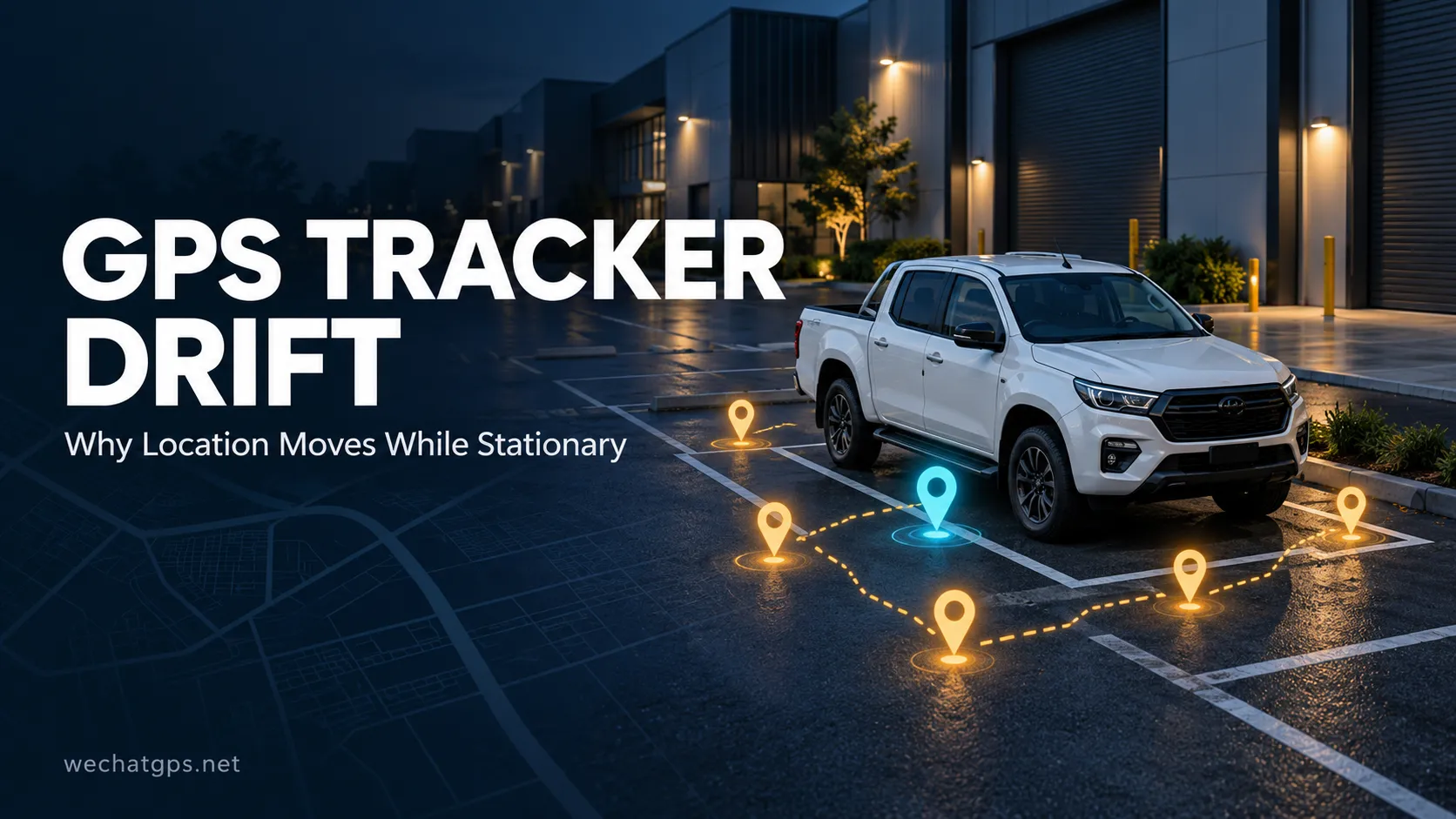
GPS tracker drift is the apparent movement of a reported position when the physical device remains stationary.
A GNSS receiver calculates its location from satellite measurements. Every position estimate contains some uncertainty, so repeated measurements do not necessarily produce identical coordinates.
If the tracking platform connects every coordinate with a line, a parked vehicle can appear to move around a small area.
The resulting display may include:
- A cluster of points around the parking location.
- Short zigzag lines in route history.
- Small amounts of apparent travel distance.
- Repeated entry and exit events near a geofence boundary.
A changing coordinate alone does not prove that the tracked object moved.
Why Does GPS Position Change While Stationary?
Blocked and Reflected Satellite Signals
Buildings, bridges, trees, and indoor environments can reduce positioning accuracy. Signals reflected by walls or other surfaces can also affect the position calculation. This reflected-signal problem is known as multipath. Satellite geometry and receiver design influence the result as well.
This explains why the same tracker may behave differently in an open parking area and beside a warehouse.
An installation that performs well during an outdoor demonstration should still be tested in the actual operating environment.
The Installation Position Affects Reception
A tracker mounted behind metal or inside a steel compartment may have a restricted view of the sky.
For magnetic trackers, the easiest attachment point is not always the best location for the GNSS antenna.
When evaluating an installation, check:
- The antenna orientation recommended for the device.
- Whether metal covers the antenna area.
- Nearby electrical equipment and wiring.
- Whether reception changes when doors or covers close.
- Performance in the final mounting position.
Test the complete installation rather than holding the tracker outside and assuming it will behave identically after mounting.
The Platform May Be Displaying Different Positioning Sources
Some tracking systems can report GNSS, Wi-Fi-based, or cellular network-based locations.
A jump on the map may occur when the system changes positioning sources. This should be investigated separately from ordinary GNSS drift.
The platform should ideally identify:
- The positioning source.
- The time the location was measured.
- Whether the position is valid.
- Available accuracy or quality information.
- Whether the displayed position is the last known location.
Without these details, users may mistake a fallback location for a fresh satellite fix.
How GPS Drift Creates False Mileage
Consider a parked vehicle that reports several slightly different coordinates.
If the platform adds the distance between every pair of points, it can accumulate mileage even though the vehicle has not moved.
Increasing reporting frequency may create more points to process, but it does not automatically improve the accuracy of the resulting distance calculation.
A better design separates raw location records from the rules used to calculate trips and mileage.
For example, the system can evaluate motion information and position quality before adding a location segment to a journey. Where a suitable vehicle distance source is available, it can also be compared with GNSS-derived distance.
The chosen method should be documented so customers understand what the mileage report represents.
How to Reduce False Movement Reports
The following measures are design options to evaluate during development or deployment. Their availability depends on the tracker and platform.
Combine Location with Motion Information
An accelerometer can provide additional evidence that a device has started moving.
For a wired vehicle tracker, ignition status may also help identify operating conditions.
Neither input should be treated as perfect proof.
Vibration can occur without relocation, and a vehicle can be towed while its ignition is off. Movement logic should therefore consider multiple signals rather than suppressing all location changes whenever the engine is stopped.
Check Position Quality Before Accepting a Point
Firmware or platform software can assess available receiver information before using a coordinate for movement analysis.
Potential inputs include fix validity, estimated accuracy, satellite information, and consistency with recent positions.
A single quality indicator should not be treated as a guarantee. Thresholds need validation with the actual receiver, antenna, and installation.
Confirm Movement Across Multiple Observations
One isolated coordinate jump should not necessarily start a trip.
A system can require a consistent sequence of positions, supporting motion information, or sustained displacement before classifying an event as movement.
This introduces a trade-off: stronger confirmation can reduce false alerts but delay recognition of real movement.
A trailer theft-monitoring project and a routine fleet mileage report may need different settings.
Separate Display Smoothing from Alarm Decisions
Holding a stationary marker at a stable position can make the map easier to read.
However, a stable display does not prove that the underlying position measurements are accurate.
A sound implementation should define separate rules for:
- The marker shown on the map.
- Positions retained in history.
- Distance added to mileage.
- Movement and geofence alarms.
Where practical, retain raw records for troubleshooting so filtering decisions can be reviewed.
How to Reduce Geofence Alerts Caused by Drift
Geofences become sensitive to positioning variation when a device sits close to the boundary.
If one measurement falls inside and the next falls outside, a basic system may repeatedly generate entry and exit events.
Possible improvements include:
Boundary tolerance: Use a buffer appropriate to the site's measured positioning performance.
Dwell time: Require the device to remain outside the boundary for a defined period.
Consecutive confirmation: Require several suitable observations before declaring a crossing.
Different entry and exit thresholds: Use hysteresis to prevent repeated switching near the same boundary.
These settings should match the application. A larger buffer may reduce nuisance alarms while making detection of a real boundary crossing less immediate.
There is no universal geofence setting suitable for every vehicle, asset, or site.
A Practical Test Plan for GPS Tracker Drift
Before a larger deployment, test both stationary behavior and genuine movement.
1. Establish an Open-Sky Baseline
Place the device in a fixed outdoor position with a clear view of the sky.
Record the reporting interval, firmware version, positioning source, and available quality information.
Observe the spread of reported positions and any false movement events.
2. Repeat the Test in the Final Installation
Mount the device exactly as it will be used.
Compare its performance with the baseline. A substantial change helps identify installation-related problems.
3. Test Representative Difficult Locations
Include places where customers will actually park or store assets, such as warehouse walls, covered loading areas, or yards containing metal containers.
4. Perform Controlled Movement Tests
Move the tracker along a known route, including a slow start and a stop.
Confirm that filtering does not keep the device incorrectly marked as stationary or remove valid sections of the journey.
5. Review Operational Results
Measure outcomes that matter to users:
- False movement alerts while stationary.
- Incorrect mileage accumulated during parking.
- False geofence crossings.
- Time taken to recognize genuine movement.
- Missing or delayed sections of a real journey.
A clean-looking map alone is not a complete acceptance test.
Does GPS Drift Mean the Tracker Is Defective?
Not necessarily.
Some variation is expected in satellite positioning. The important question is whether the behavior matches the operating environment and the agreed requirements.
Investigation is appropriate when a device repeatedly performs much worse than comparable units under the same conditions, produces invalid coordinates, or shows a large change after an installation or hardware modification.
Useful troubleshooting records include the device model, firmware version, mounting photographs, timestamps, positioning source, and raw location data.
These details help separate reception problems from firmware behavior and platform processing errors.
GPS Tracking Development for Real Operating Conditions
For an OEM tracking project, position handling should be part of the requirements from the beginning.
Define how the product should behave when stationary, how quickly it should recognize movement, how mileage is calculated, and what should happen when satellite positioning becomes unavailable.
WechatGPS provides GPS tracking hardware and customization services covering devices, firmware, platforms, and integration. Customers can discuss these requirements when planning a custom GPS tracking project. Specific filtering functions and acceptance criteria should be confirmed for the selected solution.
A useful project brief includes the installation method, operating environment, reporting interval, acceptable alert delay, and examples of the movement events that must be detected.
Frequently Asked Questions
Why does my parked vehicle show a route?
Small changes between reported coordinates can form a route when the platform connects every point. Review the positioning source, installation, and trip-processing rules.
Will faster reporting eliminate GPS drift?
No. More frequent reporting provides more observations, but it does not remove positioning uncertainty.
Can a larger geofence reduce false alerts?
It may help, but it also changes the area being monitored. Boundary tolerance and confirmation rules should be tested alongside fence size.
Can software completely eliminate drift?
Software can reduce visible variation and false events. It cannot guarantee the true location when the available measurements are poor.
What should buyers test before ordering in volume?
Test stationary accuracy, false mileage, geofence behavior, and genuine movement detection in the intended mounting position and operating environment.