GPS Tracker Route Deviation Alert: How to Monitor Unexpected Detours
A delivery vehicle leaves its planned road. A truck takes an unfamiliar shortcut. A contracted transport vehicle travels toward a destination outside its assigned journey.
A map can show where the vehicle was last located, but dispatchers also need to understand whether that position fits the approved trip.
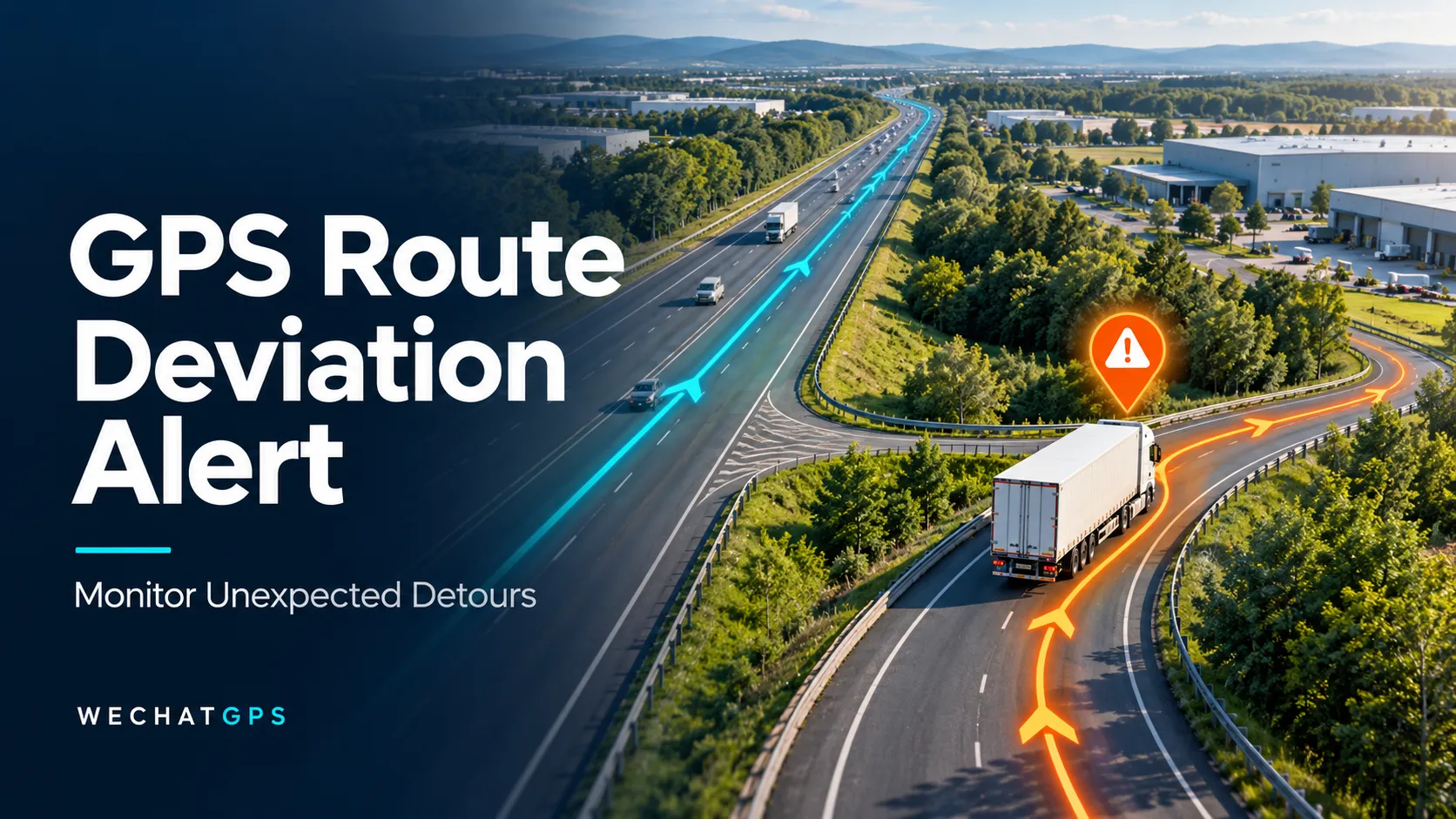
A GPS tracker route deviation alert helps identify reported positions outside a defined route corridor. When combined with trip assignments and a clear review process, it can help fleet teams investigate unexpected detours and coordinate their response.
The system should distinguish an exception that needs attention from an authorized route change.
What Is a GPS Tracker Route Deviation Alert?
A route deviation alert is generated when location data meets a configured rule for leaving an approved travel corridor.
In a typical platform-based implementation, the vehicle tracker sends position reports to the server. The platform compares valid positions with the route assigned to that vehicle or trip.
The rule may consider:
- Distance from the planned route.
- Time spent outside the permitted corridor.
- Consecutive valid positions outside the corridor.
- Whether the assigned trip is currently active.
- Approved stops, alternative roads, or temporary exceptions.
Some implementations may evaluate rules inside the device. Buyers should confirm where detection occurs, which configuration is required, and how communication interruptions affect notifications.
A tracker that supports location reporting does not automatically include a complete route deviation management feature.
Route Monitoring and Destination Geofencing Serve Different Purposes
A destination geofence helps identify arrival at or departure from a location. Route monitoring evaluates the journey between locations.
A truck could reach the correct warehouse after taking an unauthorized detour. An arrival event alone would not explain what happened during the journey.
| Monitoring rule | Operational question |
|---|---|
| Destination geofence | Did the vehicle reach the assigned site? |
| Route corridor | Did the reported journey remain near the approved route? |
| Scheduled stop check | Did the vehicle visit the expected stop? |
| Stop-duration rule | Did a stop exceed the configured allowance? |
These rules can work together, but their event names should remain distinct so dispatchers understand what triggered each notification.
Define a Practical Route Corridor
A planned route is usually represented by a line following the intended roads. Monitoring requires an allowed area around that line.
A corridor that is too narrow can create unnecessary alerts near junctions, parallel roads, or locations with reduced positioning quality. A corridor that is too wide may overlook a meaningful departure.
For an initial pilot, assess the corridor against:
- Road layout and nearby alternative roads.
- Vehicle access points and loading entrances.
- Typical positioning performance on the journey.
- Operationally acceptable detours.
- The consequences of missing a departure.
Do not assume one corridor width will suit urban deliveries, highway transport, and remote construction access roads.
Test representative trips and adjust the rule using reviewed events.
Use Persistence Rules to Reduce Unnecessary Alerts
One position outside the corridor should not always trigger immediate escalation.
A platform can be designed to require a sustained outside-route condition, multiple valid reports, or another agreed confirmation rule. The appropriate choice depends on the operational need.
For example, consider an illustrative configuration in which moving vehicles report every 30 seconds and the platform requires three consecutive outside-corridor positions. Confirmation would normally require about one minute after the first outside position, plus any communication and processing delay.
That is a configuration example, not a guaranteed detection time.
Stronger confirmation can reduce unwanted notifications, but it also delays recognition. Fleet managers should agree on that tradeoff before deployment.
Match Location Reporting to the Journey
Route monitoring depends on the location records available to evaluate.
If a vehicle reports only every several minutes, it may leave the corridor and return between updates. The platform may never receive a position showing the detour.
More frequent reporting provides more observations, but it can increase data traffic and power consumption. The selected interval should reflect the route, vehicle power supply, and required response time.
For powered fleet vehicles, a 4G wired vehicle GPS tracker is a starting point for hardware evaluation. Confirm the moving-report interval and the route-monitoring functionality of the selected platform separately.
Historical route playback and active route deviation alerts should be tested as separate capabilities.
Keep Route Assignments Connected to Active Trips
A technically correct rule can still generate misleading notifications when the wrong route is assigned.
Before departure, associate the vehicle with the approved trip and its applicable monitoring window. Specify how the trip starts and ends, and what happens if dispatch changes the destination.
A useful trip record includes:
- Vehicle and tracker identification.
- Assigned route and route version.
- Planned departure and destination.
- Approved intermediate stops.
- Monitoring start and end conditions.
- Authorized alternative routes.
When roadworks require a detour, dispatch should be able to record an approved change. Preserve the previous route and change history so later reviews can establish which instruction applied at the time.
Give Dispatchers Enough Information to Review an Alert
An alert should help an operator understand the situation without reconstructing the entire trip.
Useful information includes the vehicle, trip reference, event time, latest valid location, location age, and the route segment involved.
Where supported, also show:
- Distance outside the corridor.
- Duration of the detected deviation.
- Subsequent reported positions.
- Communication status.
- Any approved route change.
- Review status and operator notes.
A route deviation does not establish the reason for the detour. Traffic restrictions, missed turns, dispatch instructions, or an incorrect route assignment may explain it.
The review workflow should allow staff to classify the event and record the response.
Understand What Happens During Network Interruptions
When route evaluation happens on the server, timely detection requires location reports to reach that server.
If cellular connectivity is interrupted, the platform may be unable to identify a deviation as it occurs. Supported devices may later upload stored positions, allowing retrospective review.
A delayed historical event should retain its original occurrence time and be clearly distinguished from a current exception.
Device-side detection may provide additional options, but remote notification still depends on an available communication path. Confirm both detection and delivery behavior during the pilot.
Test the Complete Workflow Before Fleet Deployment
A useful pilot includes more than a vehicle following the approved road.
Test normal trips, a controlled detour, an authorized alternative route, a stop near the corridor boundary, and a temporary communication interruption.
Check whether:
- The correct route is assigned before travel.
- Normal journeys avoid excessive notifications.
- A meaningful detour generates the expected event.
- Approved changes are applied to the correct trip.
- Historical uploads remain clearly labeled.
- Returning to the route updates the event status.
- Dispatchers can review and close the exception.
Measure notification delay from the relevant test event, and record the reporting interval and connectivity conditions. This makes results useful when comparing configurations.
Specify a Route Monitoring Project with WECHATGPS
For a route-monitoring project, define the operational workflow alongside the tracking hardware.
Provide the deployment country, vehicle quantity, typical routes, required reporting frequency, approved detour policy, and existing platform details.
If the project requires a branded interface or integration with dispatch software, discuss the white-label GPS tracking platform and API options. Route assignment, corridor evaluation, exception handling, and reporting requirements should be confirmed in the project specification.
The goal is to give dispatchers a timely, understandable indication that a journey needs review.
Frequently Asked Questions
Can every GPS tracker provide route deviation alerts?
No. The tracker must provide suitable location data, and either the platform or supported device firmware must implement the required route rules.
Is a route deviation alert the same as a geofence exit alert?
They are related but serve different workflows. A geofence exit usually concerns departure from a defined area. Route deviation monitoring evaluates travel against an assigned corridor.
Can the system detect every short detour?
No. Detection depends on reporting frequency, positioning quality, corridor settings, and confirmation rules. A brief detour between reports may not appear in the received data.
Can approved detours be excluded?
A platform can be designed to support alternative routes or temporary approvals. Confirm how these changes are assigned, recorded, and applied to active trips.
Will a route deviation alert arrive immediately without cellular coverage?
Immediate remote notification should not be assumed. Confirm whether the system detects events locally, stores records, and reports historical deviations after reconnection.