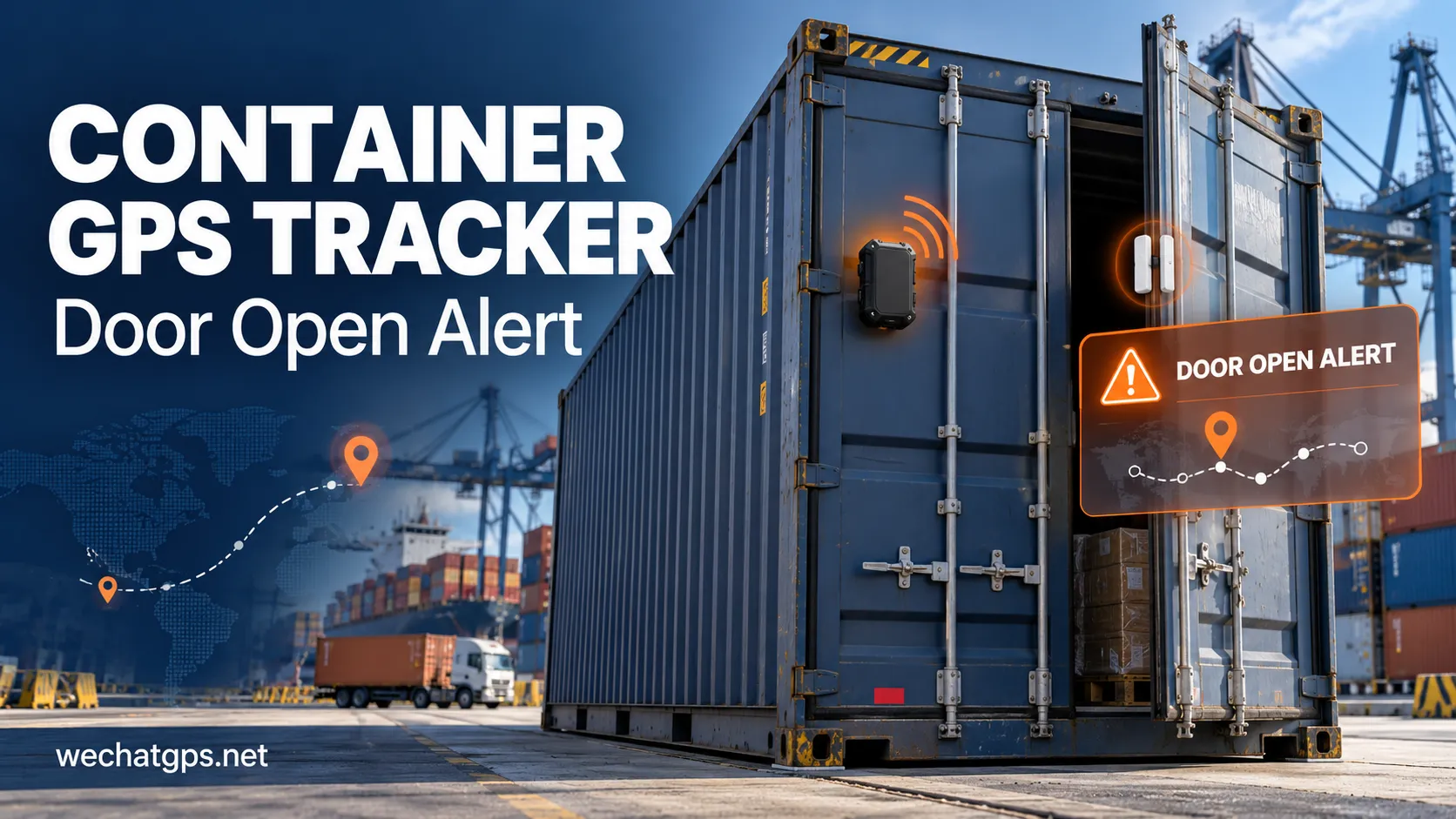
A container can remain inside an approved logistics yard while its doors are opened unexpectedly. Location tracking alone does not explain whether cargo access was planned.
A container GPS tracker with door open alert combines location reporting with a door-state sensor. For logistics operators, the useful result is an event record that connects access activity with a shipment, time and reported position.
This guide explains how to specify that solution, distinguish door events from other alarms, and evaluate an OEM configuration before ordering.
What Is a Container GPS Tracker with Door Open Alert?
The proposed system has three parts: a tracking device, a compatible door sensor, and a platform that receives and interprets events.
The sensor detects a change in door state. Firmware records the event and attempts to transmit it through the selected communication network. The platform then applies the customer's notification rules.
For product selection, WECHATGPS lists a shipping container GPS tracker with optional door detection and customization support. Door monitoring should therefore be included explicitly in the requested configuration rather than assumed to be standard.
Door Alerts, Movement Alerts and Geofences Serve Different Purposes
A useful purchasing specification defines each event separately.
| Event | Question it helps answer | Limitation to consider |
|---|---|---|
| Door opening | Did the monitored door change to an open state? | Does not identify the person or prove theft |
| Movement detection | Did the tracker detect movement? | Does not confirm that a door opened |
| Geofence exit | Did a reported position cross a configured boundary? | Depends on location availability and boundary rules |
| Tracker removal | Was a supported mounting or tamper sensor triggered? | Requires the relevant sensor and installation |
A container may generate a door alert without moving. Equally, a truck can move a sealed container without producing a door event. Keeping these records separate makes investigations clearer.
Choose a Sensor Around the Container Door
Before choosing the electronics, examine the actual door mechanism, mounting space and handling conditions.
A magnetic contact or Hall-effect arrangement can be considered when the sensor and magnet can maintain a repeatable alignment. A mechanical switch may suit an installation with a reliable contact point, but its exposure and mounting need review.
A light sensor may provide supporting evidence of an opening. It should not automatically be treated as equivalent to a door contact: darkness, cargo placement and sensor obstruction can affect the result.
For double-door containers, specify whether one or both doors must be monitored. Test the chosen arrangement on the real container rather than relying only on a bench demonstration.
Record Event Time Separately from Upload Time
Consider this illustrative journey: a door opens at 10:15 in an area without cellular service. The tracker reconnects and uploads the record at 10:42.
A useful platform should preserve both times. Otherwise, an operator could mistake the upload time for the moment the door opened.
Ask the manufacturer to define these fields:
- Container, shipment and device identifiers.
- Door-open and door-close event times.
- Server receipt time.
- Location timestamp and validity.
- Battery status and event sequence number.
These are suggested requirements for the OEM specification. Confirm which fields the selected firmware actually supports.
Show Location Freshness Beside Every Alarm
A door event can be detected when a fresh satellite position is unavailable. The platform should distinguish a current valid fix, an older last-known position, and an event with no valid location.
For example, a door opening at 10:15 should not appear to have a fresh position if the attached coordinates were recorded at 09:50.
Ask how the firmware handles this situation. One possible design is to transmit the door event promptly using available information, then send a linked location update if a new fix is obtained. Validate that behavior during the pilot.
Build Rules for Authorized Loading and Unloading
Not every opening requires an urgent response. A practical project can define different actions for different operating conditions.
| Illustrative condition | Proposed platform action |
|---|---|
| Door opens during an approved loading window | Record the event for shipment history |
| Door opens outside the approved window | Notify the assigned operator |
| Door remains open beyond an agreed duration | Escalate for review |
| Several rapid state changes occur | Retain the records and check sensor alignment |
| Device stops reporting | Show a separate communication exception |
These are proposed business rules, not confirmed default product functions. Agree on geofence margins, time zones, acknowledgment procedures and supported notification channels before deployment.
Plan Battery Use Around Events and Retries
Battery planning should include more than scheduled GPS reports. Ask the supplier to assess expected door events, location attempts, network reconnection, failed uploads and retry limits.
A sensor that repeatedly changes state because of poor mounting can generate unnecessary wake-ups. Define suitable filtering and verify that it still captures meaningful openings.
Evaluate energy use under both normal coverage and weak coverage. Request a battery estimate based on the agreed operating profile, followed by field validation.
Validate the Complete Installation
A pilot should check the hardware, firmware and platform together.
- Open and close every monitored door and compare physical actions with recorded events.
- Test normal door movement, vibration and the expected alignment tolerance.
- Trigger an event during a coverage gap and verify storage and later upload.
- Compare event time, upload time and location age.
- Test approved loading windows and exception notifications.
- Check battery use and mounting condition during representative journeys.
An external tracker and a separate door sensor may require a cable or another sensor link. Confirm how that connection survives door operation and normal container handling.
Specify Your OEM Container Tracking Project
Provide the manufacturer with the destination countries, container type, installation photos, door arrangement, reporting schedule, expected journey duration and platform requirements.
The WECHATGPS container tracking device is a relevant starting point for discussing optional door sensing, enclosure and firmware customization. Final sensor interfaces, event behavior and performance should be agreed in the approved project specification.
A successful container GPS tracker with door open alert gives operators a clear record of what changed, when it happened and how current the location information is. Start with those operational questions, then validate the selected configuration on actual shipments.
Frequently Asked Questions
Can a GPS tracker detect an open container door by itself?
Location data alone does not establish door state. The solution needs a suitable door sensor or another explicitly validated detection method.
Will the alert arrive immediately?
Delivery depends on sensor processing, device operating mode, network availability and platform handling. Define and test the required delivery time under stated coverage conditions.
Can door alerts replace an electronic cargo seal?
Treat them as different functions. Door-state monitoring records a sensor condition; an electronic seal monitors its specified seal mechanism. Choose the arrangement around the required shipment procedure.