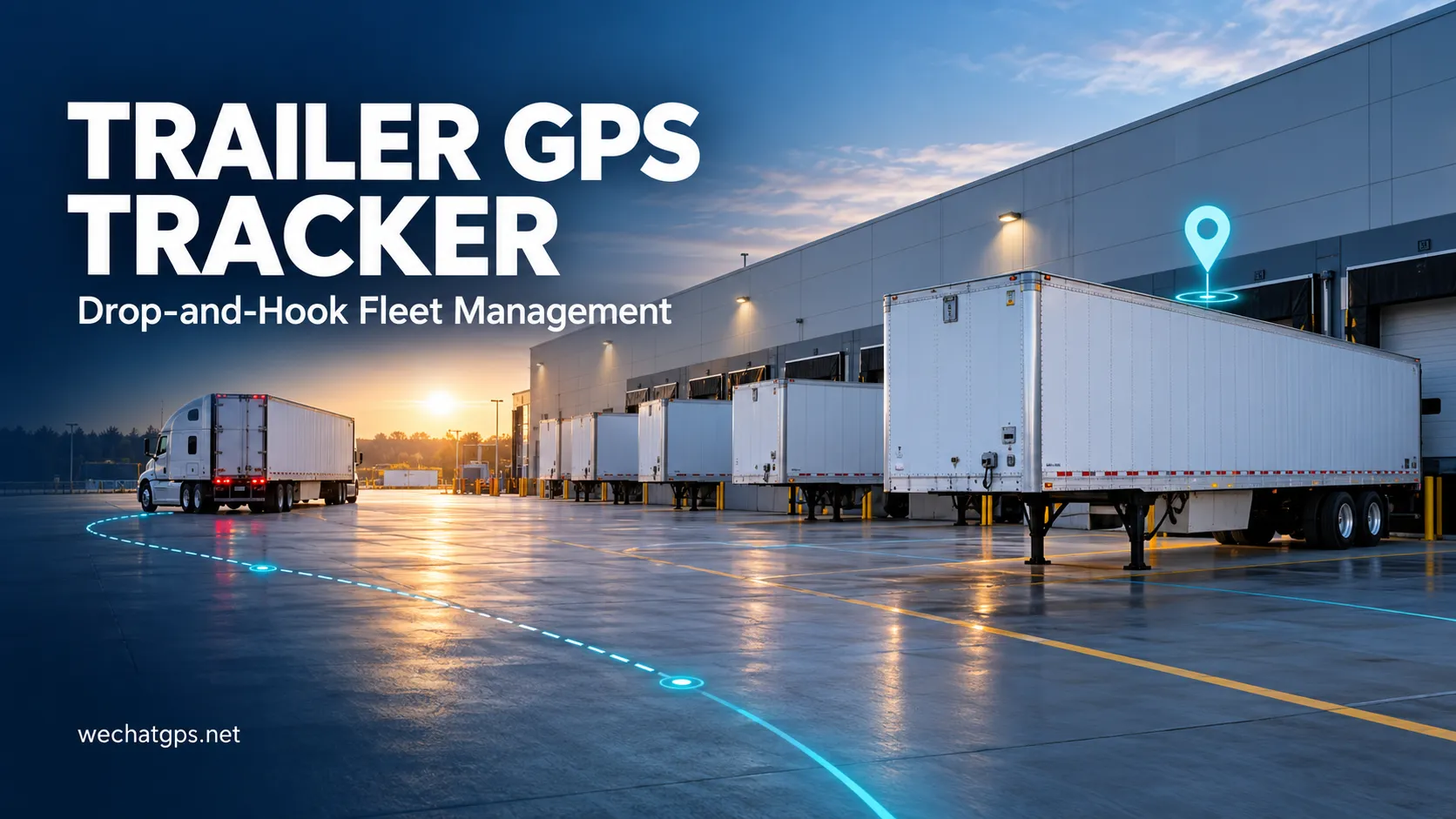
Trailer GPS Tracker for Drop-and-Hook Fleet Management
A truck delivers a trailer to a distribution center, disconnects and leaves with another load. The tractor continues reporting its position, but the parked trailer remains behind. Without a separate tracking device, dispatchers may need phone calls, spreadsheets or manual yard checks to find it again.
A trailer GPS tracker gives each trailer its own location record. For transport companies using drop-and-hook operations, this supports trailer allocation, collection planning and investigation of unexpected movement.
A useful deployment combines suitable hardware with clear reporting rules and an organized asset management workflow.
Why Trailers Need Their Own GPS Tracking
Tracking a tractor shows where the tractor travels. Once it disconnects from a trailer, its location no longer represents the trailer’s position.
This creates practical questions for dispatchers:
- Which customer site has the trailer?
- When was its location last confirmed?
- Has it moved since delivery?
- Which trailers have remained at a site longer than expected?
- Does the device need charging or inspection?
A trailer GPS tracker helps answer location-related questions independently of the towing vehicle. Each device should be assigned to a permanent trailer identifier so that location history stays with the correct asset.
However, location alone cannot confirm whether a trailer is empty, loaded or ready for collection. Those details require driver updates, operational records or additional sensors.
How Tracking Supports Drop-and-Hook Operations
In a drop-and-hook workflow, drivers leave one trailer and collect another instead of waiting through the entire loading or unloading process.
Consider a fleet serving several warehouses. A dispatcher needs an available trailer near the next collection point. A tracking platform can show the last reported locations of nearby trailers, while the transport management system or site team confirms which ones are ready.
A practical workflow is:
- Register the trailer and assign its tracking device.
- Record arrival at the customer site.
- Update the trailer’s loading or availability status.
- Review its location and reporting time before dispatch.
- Confirm collection and continue monitoring the next journey.
Keeping location and operational status together helps dispatchers make better decisions without treating every parked trailer as available.
Choosing the Right Power Configuration
Trailers may spend extended periods disconnected from a tractor. Power selection should reflect that operating pattern.
| Power configuration | Suitable operating pattern | Main point to verify |
|---|---|---|
| Rechargeable battery | Temporary deployments or assets with planned service visits | Charging workload under the intended reporting schedule |
| Solar-assisted battery | Outdoor trailers with regular sunlight exposure | Energy balance during cloudy periods and shaded parking |
| External power with backup battery | Trailers with a compatible electrical supply | Operation after disconnection and correct electrical installation |
Battery capacity alone does not establish service life. Reporting frequency, movement, cellular conditions, positioning attempts and temperature all affect energy consumption.
For a solar-assisted device, verify the actual installation position. A trailer parked beneath a loading canopy may receive little useful sunlight even when the surrounding yard is bright.
Set Reporting Rules Around Trailer Activity
A trailer moving between cities and a trailer parked for several days do not need identical reporting schedules.
Where supported by the selected firmware, a project can use different reporting behavior for different conditions:
During transport: More frequent reports help operators review progress and route history.
While parked: Longer intervals can reduce energy consumption while maintaining periodic visibility.
When movement begins: An event report can help identify departure between scheduled updates.
When battery level falls: A notification can create a maintenance task before reporting stops.
The reporting schedule should match the operational response. If dispatchers need to react quickly to a departure, infrequent scheduled updates alone may be insufficient.
A sleeping device may also receive remote commands only when it reconnects. Confirm command delivery behavior during sample testing.
Use Geofences for Customer Sites and Depots
Geofences can organize trailer activity around warehouses, customer premises, maintenance facilities and authorized parking areas.
Useful events include arrival, departure and movement outside an assigned location. Each event should have a defined purpose and a responsible person.
For example, departure from a customer site may require dispatch verification. Arrival at a maintenance depot may update the asset’s service workflow.
Geofence boundaries need practical testing. Position uncertainty, reporting intervals and site layout can affect event timing. A small boundary beside a loading dock may produce inconsistent results where satellite reception is obstructed.
Avoid treating every boundary crossing as a confirmed security incident. Review the location timestamp, subsequent reports and operating schedule before escalating.
Display Location Freshness Clearly
A map marker becomes much more useful when the operator can see when it was recorded.
The platform should distinguish between:
- The time a position was obtained.
- The time the server received that position.
- The most recent device communication.
- The positioning method, where available.
- The current battery reading and its timestamp.
This matters when a trailer travels through an area without cellular coverage. A device with supported offline storage may upload earlier records after reconnecting. Those records should retain their original timestamps.
A historical position should remain visibly historical so dispatchers can judge whether a new location check is needed.
Installation and Pilot Testing
Mounting affects positioning, communication and long-term reliability.
Check the proposed location on the actual trailer. Metal structures can obstruct signals, while exposed mounting positions may face impacts, road spray or damage during loading.
For magnetic installations, verify the mounting surface, retention and suitability for the operating environment. Some projects may require a mechanically secured bracket.
Before a larger rollout, test a representative group of trailers through normal journeys and customer visits. Include:
- Outdoor and covered parking.
- Connected and disconnected operation.
- Arrival and departure reporting.
- Movement alerts during authorized transport.
- Cellular coverage interruptions.
- Battery consumption over a representative operating cycle.
- Device inspection and charging procedures.
Agree on acceptance criteria before the pilot. These might include a required reporting interval, acceptable event delivery time and a maintenance schedule based on measured consumption.
OEM Trailer GPS Tracker Projects
Shenzhen Jinshengchang Technology Co., Ltd. offers asset tracking devices and OEM/ODM development for transportation applications.
The Magnetic Asset GPS Tracker provides a starting point for discussing trailer location monitoring. Hardware, mounting, reporting behavior and power requirements should be confirmed for the intended deployment.
For a customized project, share the operating countries, trailer quantity, expected parked duration, reporting frequency and platform requirements. Also identify any need for external sensors or integration with an existing transport management system.
Frequently Asked Questions
Can a trailer GPS tracker work when the tractor is disconnected?
Yes, if the selected tracker has an independent battery or another suitable power source. Operating time depends on its configuration and actual usage.
Can GPS tracking identify whether a trailer is loaded?
GPS provides location information. Loaded or empty status requires another source, such as a sensor, driver confirmation or warehouse system update.
Can it locate a trailer inside a warehouse?
Satellite positioning may be unavailable or unreliable inside enclosed buildings. Indoor visibility may require additional positioning technology and site infrastructure.
Is every unexpected movement a theft event?
No. Yard repositioning, maintenance and authorized collection can also cause movement. Alerts should be reviewed against dispatch records and site activity.
Discuss Your Trailer Tracking Requirements
A trailer GPS tracker can help transport teams locate disconnected assets, review movement and plan collections with better information.
Start with the daily dispatch workflow, then select the device, power configuration and reporting rules around it. Explore our GPS tracking products to discuss a trailer monitoring project with Jinshengchang.