GPS Delivery Arrival Alerts: From Vehicle Location to Customer Stop Records
A delivery vehicle reaches a customer’s premises, but the warehouse team is still waiting for a phone call. Another vehicle passes the same address on a nearby road and generates an arrival notification before entering the site.
Both situations show why delivery monitoring needs more than a moving marker on a map.
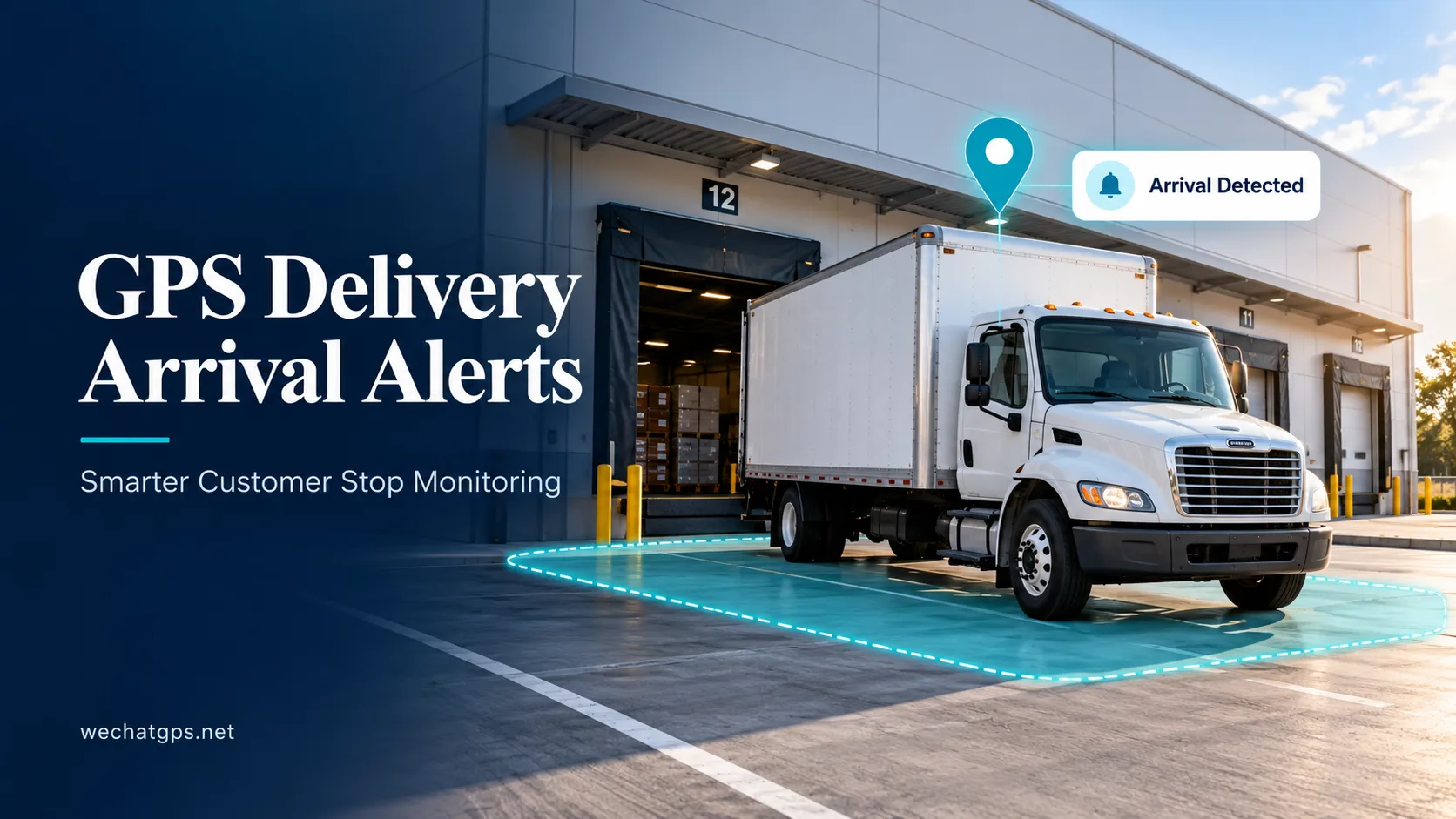
GPS delivery arrival alerts connect vehicle location with defined customer sites and operational rules. When configured around actual delivery workflows, they can help dispatchers coordinate unloading, review customer visits and identify stops that need attention.
The starting point is a clear definition of what “arrival” means for each location.
What Are GPS Delivery Arrival Alerts?
GPS delivery arrival alerts are notifications generated when vehicle location records meet the configured conditions for a delivery site.
A basic system may trigger an event when a reported position enters a geofence. A more detailed implementation may also consider how long the vehicle remains inside, whether it has stopped and whether the site belongs to its assigned delivery schedule.
These conditions should be selected according to the operation.
For a small retail outlet, a brief stop near the receiving entrance may be relevant. For a large distribution center, crossing the outer boundary may only indicate that the vehicle has joined an entrance queue.
GPS provides location information. The tracking platform or supported device firmware applies the rules that turn those positions into arrival events.
Define the Delivery Location Carefully
A customer’s postal address is not always the correct point for an arrival rule.
The office entrance, truck gate, unloading bay and parking area may be in different places. A circular geofence centered on the office can include an adjacent road while excluding the actual loading area.
Before configuring alerts, identify:
- The entrance used by delivery vehicles.
- The authorized waiting area.
- The unloading or receiving zone.
- Nearby roads that could cause unwanted triggers.
- Shared boundaries with neighboring businesses.
Where supported, a polygon geofence can follow an irregular site more closely. The boundary should still allow for the positioning variation observed during testing.
For larger facilities, separate entrance and unloading zones may provide more useful records than one site-wide arrival event.
Use Arrival Rules That Match the Stop
An immediate boundary-entry alert is useful for some workflows, but it can also trigger when a vehicle briefly passes through the edge of a zone.
A proposed rule might require the vehicle to remain inside the delivery area for a short period before confirming arrival. Another might combine geofence presence with low reported speed.
For example, a pilot configuration could require two minutes inside the site before generating a confirmed arrival event. This is an illustrative setting, not a universal recommendation. Short delivery stops may need a different approach.
The reporting interval must also support the rule. If a tracker reports once every several minutes, the system may miss a short visit or detect it late.
Test the relationship between stop duration, reporting frequency and notification timing before deployment.
Separate Arrival, Waiting and Delivery Completion
A vehicle arriving at a customer site does not establish that the goods have been delivered.
The driver may be waiting for a gate to open, searching for the receiving area or facing a rejected shipment. Keeping operational states separate helps prevent misleading reports.
| Status | Suggested supporting evidence |
|---|---|
| Site arrival detected | Valid vehicle positions meeting the arrival rule |
| Waiting at site | Continued presence in a defined waiting area |
| At unloading area | Position records within the relevant zone |
| Delivery completed | Driver confirmation, receiving scan, signature or connected business-system record |
| Site departure detected | Valid positions meeting the departure rule |
These are suggested workflow definitions. The available states depend on the platform and integrations selected for the project.
GPS records can support a delivery timeline, while completion should follow the evidence required by the business.
Include Useful Details in Each Notification
An alert should give dispatchers enough information to act without searching through several screens.
A useful arrival notification can include:
- Vehicle identification.
- Customer and delivery-site name.
- Assigned order or stop reference.
- Arrival event time.
- Latest location timestamp.
- Server receipt time.
- A link to the vehicle or stop record.
The event time and receipt time matter when connectivity is interrupted. A vehicle may arrive while offline and upload its records later.
Where historical event processing is supported, the platform should show that the notification is delayed. An old arrival should not appear to be a new live event simply because the server received it moments ago.
Link Arrival Events to the Assigned Route
Vehicles may visit the same customer several times in one day. Multiple vehicles may also serve one location.
A useful workflow associates each arrival with the appropriate vehicle, site and scheduled stop. If order-level reporting is required, the system also needs a defined method for linking the visit to an order.
Avoid automatically treating every geofence entry as a completed scheduled visit.
For example, a vehicle might return to collect rejected goods, stop for paperwork or enter the premises during another journey. The system should retain the location event while allowing the operational purpose to be identified correctly.
Where supported, visit identifiers and duplicate-event handling can prevent repeated boundary crossings from creating multiple notifications for one stop.
Build a Customer Stop Report
A stop report can bring planned visits and observed activity into one view.
Useful fields include the planned arrival window, detected arrival, departure, recorded time on site and delivery status.
An illustrative record might look like this:
| Field | Example |
|---|---|
| Vehicle | VAN-012 |
| Customer site | North Distribution Center |
| Planned arrival window | 09:00–09:30 |
| Detected arrival | 09:12 |
| Detected departure | 09:46 |
| Recorded time on site | 34 minutes |
| Delivery confirmation | Pending receiving confirmation |
Time on site should be labeled accurately. It may include queueing, paperwork, unloading and breaks. Location data alone cannot reliably divide that period into individual activities.
Managers can use these records to identify visits that need review, then compare them with dispatch notes or warehouse records.
Validate the Workflow on Real Delivery Routes
Start with a small group of vehicles and customer locations with different layouts.
Include a roadside shop, a large warehouse and a site where vehicles commonly wait outside the entrance.
During the pilot, check whether the system:
- Detects genuine delivery stops.
- Avoids triggering when vehicles pass nearby.
- Handles short visits appropriately.
- Distinguishes repeated visits to the same customer.
- Labels delayed events clearly.
- Records departures without repeated boundary alerts.
- Keeps delivery confirmation separate from location-based arrival.
Compare the results with driver notes or receiving records. Adjust boundaries and rules using those observations.
A successful pilot should establish the actual notification behavior under the chosen tracker settings and network conditions.
GPS Hardware and OEM Integration
WECHATGPS lists a 4G wired vehicle GPS tracker with vehicle positioning, geofencing, route history and integration options.
For a delivery arrival project, confirm the required reporting interval, event processing, customer-site management and notification channels separately. Order matching and proof-of-delivery workflows should be included explicitly in the project specification.
When discussing an OEM solution with Shenzhen Jinshengchang Technology Co., Ltd., provide the vehicle quantity, deployment countries, typical stop duration, customer-site examples and existing dispatch software.
These details help define how the tracker, platform and business system should work together.
Frequently Asked Questions
Can an arrival alert prove that a delivery was completed?
No. It indicates that the vehicle met the configured location conditions. Delivery completion requires the confirmation method defined by the business, such as a receiving scan, signature or driver submission.
Can the system notify customers automatically?
This can be specified where the platform supports an appropriate messaging integration. Define the recipients, trigger conditions and handling of delayed events before enabling customer notifications.
Why does an alert trigger before the vehicle reaches the unloading area?
The geofence may cover an approach road, entrance queue or a larger area than intended. Review the boundary and consider separate site-entry and unloading-zone events.
Will arrival alerts work during a cellular outage?
Live remote notification requires an available communication path. A compatible system may retain records and process them after reconnection, but that creates a delayed event rather than a live alert.